RoadmapOne Release 3.2 is here
Introducing PowerPoint Export, and your Finance team's favourite feature

Not content with release 3.1 last week, and version 3.0 the week before that, we’re thrilled to announce that 3.2 is here. Scroll to the end to learn about your Finance team’s new favourite feature (spoiler alert: understanding how much of your roadmap is Opex vs Capex), or keep reading to see our most requested feature: PowerPoint Export for RoadmapOne analytics!
Building board decks just got dramatically faster. What used to take hours of copying data, creating tables, and formatting slides can now be done with a single click.
Your Analytics, Ready for the Boardroom
Leadership teams need to communicate resource allocation and strategic priorities clearly. With PowerPoint export, you can now take your RoadmapOne analytics directly into board presentations, executive reviews, and stakeholder meetings.
To use it, just navigate to the Analytics tabs in your roadmap and hit “Export to Powerpoint”
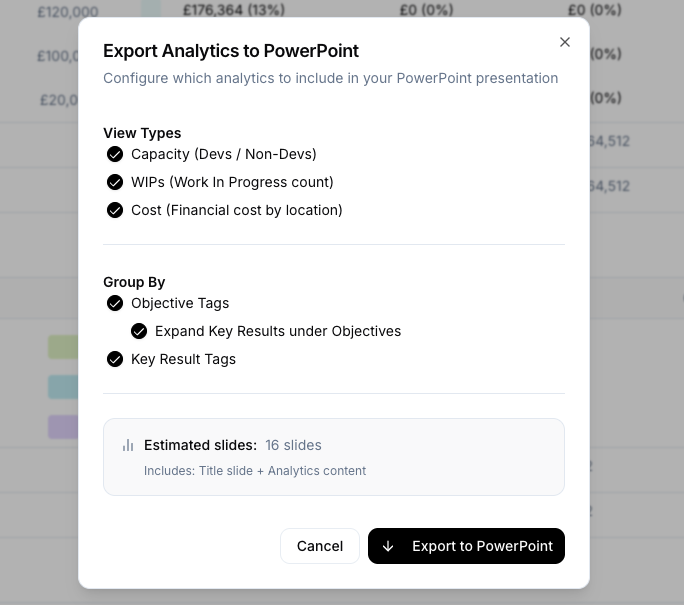 Configure your export with flexible view types and grouping options
Choose What Matters Most
The export modal gives you complete control over what appears in your presentation:
View Types
- Capacity: Show developer and non-developer allocation across teams
- WIPs: Display work-in-progress counts to highlight team workload
- Cost: Present financial cost breakdowns by location
Grouping Options
- Objective Tags: Group by strategic initiatives (Run, Grow, Transform, etc.)
- Key Result Tags: Group by delivery approach (Discovery, Build, etc.)
- Expand Key Results: Choose whether to show detailed key results under each objective
Beautiful, Ready-to-Present Slides
The exported PowerPoint presentation includes:
- Title slide with roadmap name and export date
- Summary tables showing allocation across all objectives and key results
- Category breakdowns for each tag framework you’ve configured
- Complete data with quarterly and total metrics
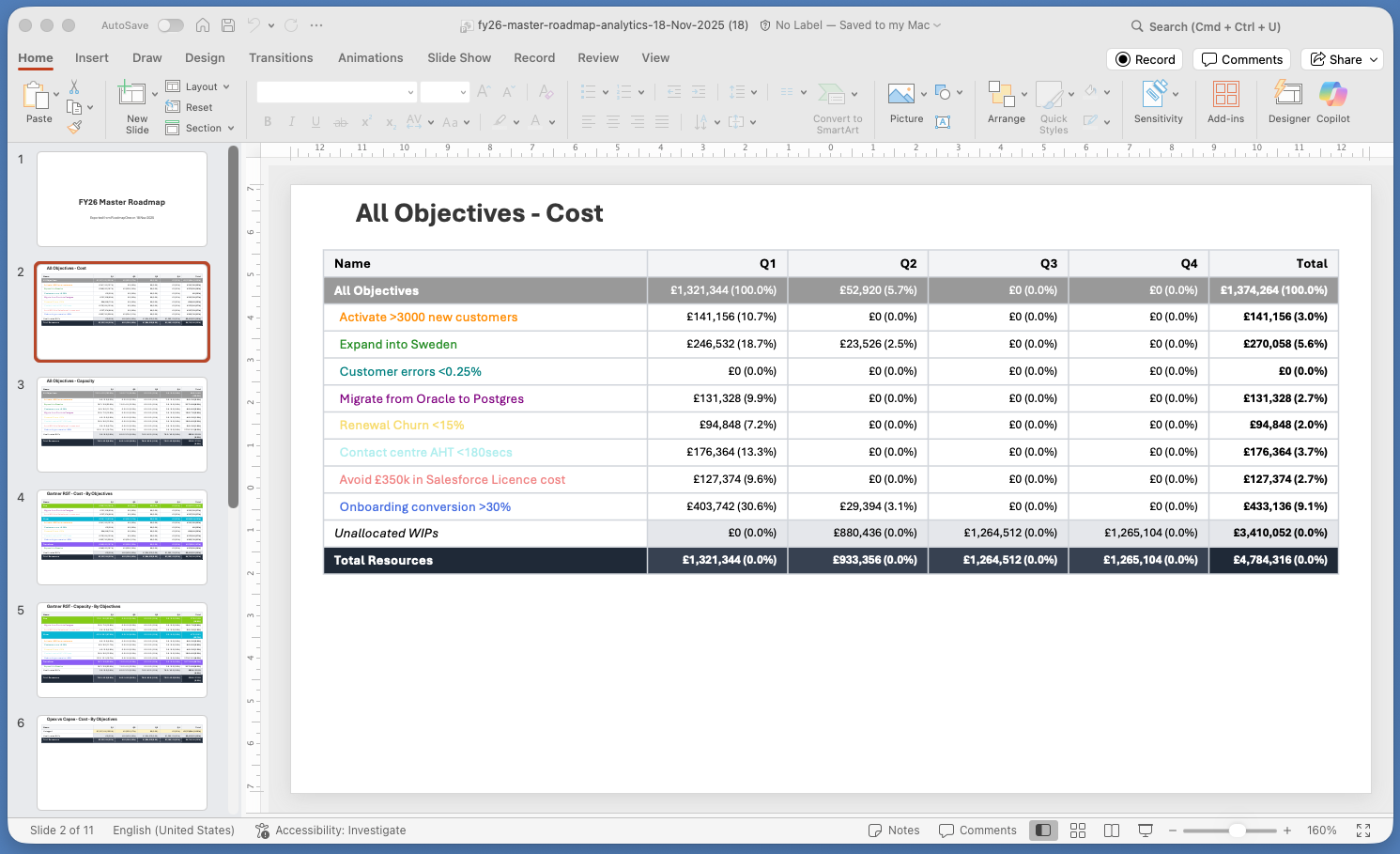 Objectives grouped by strategic tag - perfect for executive summaries
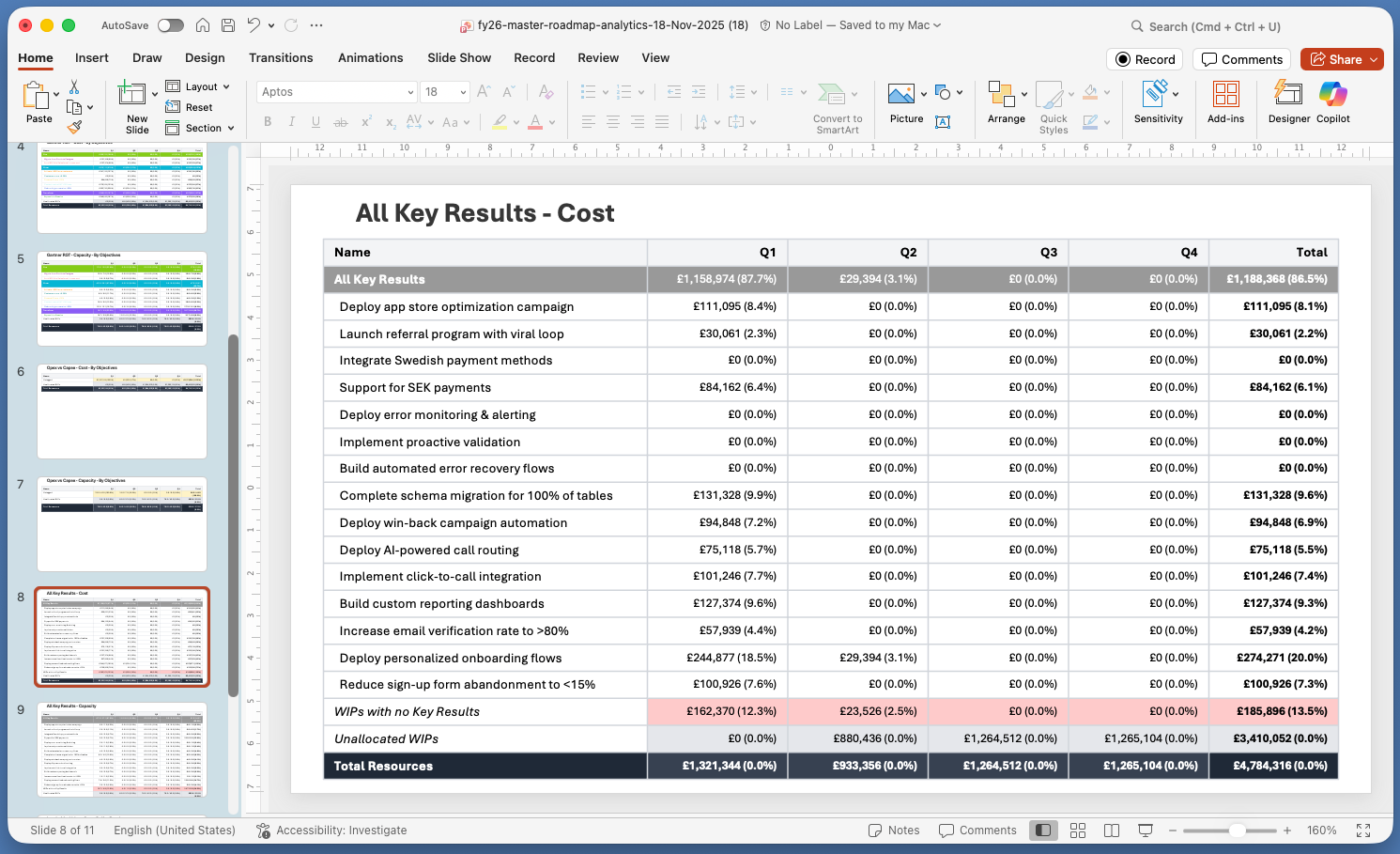 Detailed key results breakdown showing team allocation and progress
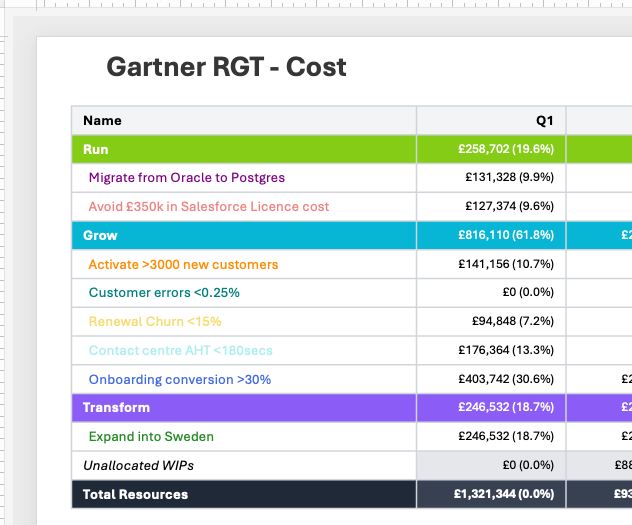 Export Objectives by Tag
Built for Speed
We know your time is valuable. That’s why we designed PowerPoint export to be:
- One-click simple: Configure once, export instantly
- Comprehensive: All three Analytics view modes (Capacity, WIPs, Cost) in one export
- Flexible: Mix and match what you need for each presentation
- Accurate: Real-time data directly from your roadmap
Instant Board Decks Today
PowerPoint export is available now for all RoadmapOne users. Log in, navigate to Analytics, and experience the fastest way to build your board deck.
For the Finance Team
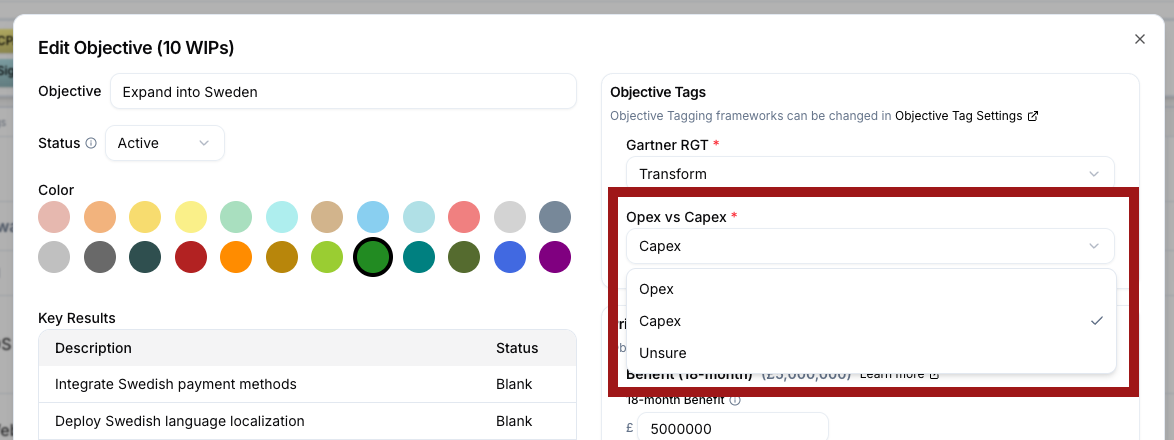
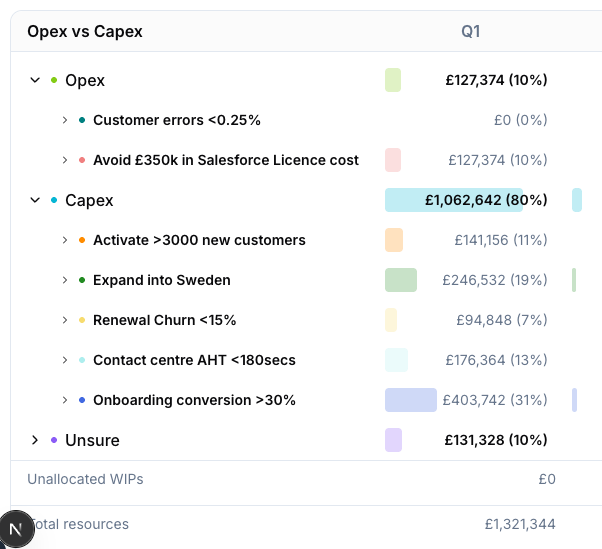
We have added the simplest, but potentially the Objective Tagging framework that your finance team care the most about… tag initiatives as Opex vs Capex and simplify your budget process.
To enable the feature, first go to workspace settings, choose Objective Tags and check the Opex vs Capex framework. Now you can tag all your Objectives with the appropriate label. Get the finance team to help!
Now you can go to Roadmap->Analyse, and make your CFO’s heart beat just that little bit faster :-)
A smörgåsbord of other changes
- Remove the (admittedly slightly funky) left navigation and replace with a more traditional top navigation bar
- Use Gravatar for Person Images
- A host of fixes and simplifications, particularly around realtime updates
Have questions or feedback? We’d love to hear from you at support@roadmap.one .
Ready to transform your roadmap analytics into boardroom-ready presentations? Start your free trial today.